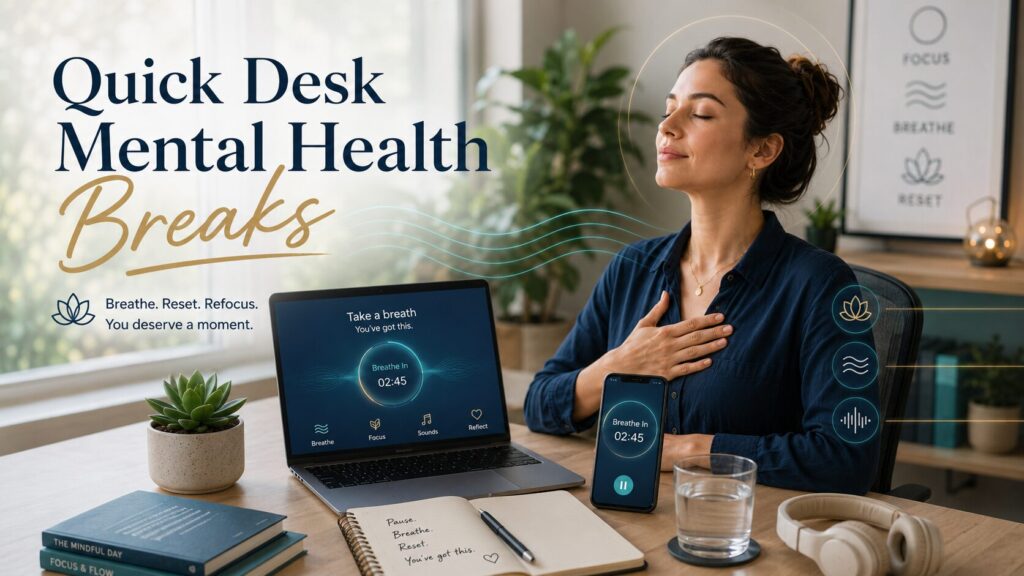
Simple digital self-care tools to help you breathe, reset, refocus, and take quick mental health breaks during the workday.
By Kevin Mack, Mental Health Blogger Founder and SEO Content Writer
Updated: June 21, 2026
Kevin Mack writes about mental health awareness, emotional wellness, and practical self-care from a non-clinical, lived-experience perspective. His work focuses on helping readers understand everyday mental wellness topics in simple and educational language.
Contents
- 1 Key Takeaways
- 2 Introduction
- 3 Quick Answer:
- 4 What Are Digital Wellness Tools for Quick Daily Mental Health Breaks at Your Desk?
- 5 Why Do Quick Digital Mental Health Breaks at Work Matter?
- 6 What Are the Main Signs You May Need a Desk Mental Health Break?
- 7 How I Personally Vetted These 8 Digital Wellness Sites and Tools
- 8 What Are the Best Digital Wellness Tools for Quick Desk Breaks?
- 9 Comparison Table: Which Digital Wellness Tool Fits Your Desk Break?
- 10 How Can You Use Digital Wellness Tools at Your Desk Without Losing Focus?
- 11 Common Mistakes People Make With Digital Wellness Tools
- 12 Expert Insights: What Makes a Digital Wellness Tool Actually Useful?
- 13 Best Practices for Quick Daily Mental Health Breaks at Your Desk
- 14 People Also Ask:
- 15 Conclusion
- 16 Sources and References
- 17 About the Author
- 18 Non-Clinical Disclaimer
Key Takeaways
- Digital wellness tools can help you take quick daily mental health breaks at your desk without leaving your workspace.
- The best tools are simple, non-diagnostic, easy to use, and realistic for a busy workday.
- Short breaks can support focus, emotional reset, breathing awareness, and stress recovery.
- Not every wellness app is the same, so I personally look for credibility, privacy clarity, ease of use, free access, and practical value.
- Desk-based mental health breaks work best when they are short, repeatable, and built into your normal routine.
- These tools should support self-care, not replace therapy, medical advice, or professional treatment.
Introduction
Digital wellness tools for mental health breaks can help you breathe, reset, refocus, and take quick daily pauses at your desk. Discover simple, non-clinical apps, websites, timers, and self-care tools for calmer workday routines.
Some days, my desk feels like the center of everything: emails, deadlines, notifications, mental clutter, and the pressure to keep going.
That is why digital wellness tools for quick daily mental health breaks at your desk can be so helpful.
They give you a simple way to pause, breathe, stretch, reset your attention, or step away mentally without needing a long break or a perfect quiet space.
I like tools that are practical. I do not want something that makes wellness feel complicated.
I want something I can open in two minutes between tasks, use without overthinking, and close feeling a little more grounded.
This article breaks down what digital wellness tools are, why they matter, how I personally vet them, and which types of tools can support short non-clinical mental health breaks during the workday.
Quick Answer:
Digital wellness tools for quick daily mental health breaks at your desk are apps, websites, timers, breathing tools, mindfulness guides, soundscapes, and movement prompts that help you pause during the workday. They are non-diagnostic self-care supports that can help with stress awareness, focus, emotional reset, and daily wellness.
What Are Digital Wellness Tools for Quick Daily Mental Health Breaks at Your Desk?
Digital wellness tools are online resources, mobile apps, or web-based features that help you take short self-care breaks during the day.
At your desk, these tools may include:
- Guided breathing exercises
- Short mindfulness sessions
- Desk stretch videos
- Mood reflection prompts
- Focus timers
- Relaxing soundscapes
- Screen break reminders
- Gratitude or journaling prompts
- Short guided meditations
The key word is quick.
A desk mental health break does not have to mean a 30-minute meditation. It can be two minutes of breathing, five minutes of stretching, or one short guided audio session before your next task.
For me, the best tools are the ones that fit into real life. I am more likely to use a tool if it opens fast, feels calming, does not overwhelm me with choices, and does not make big promises.
Why Do Quick Digital Mental Health Breaks at Work Matter?
Quick digital mental health breaks matter because many people spend long hours in front of screens without noticing how much tension builds up.
A normal workday can create mental strain in small ways:
- Too many notifications
- Back-to-back tasks
- Long periods of sitting
- Constant screen focus
- Emotional labor
- Information overload
- Pressure to respond quickly
- Lack of quiet recovery time
I have noticed that when I ignore those small signals, my focus usually gets worse. I may reread the same sentence several times.
I may feel more reactive to emails. I may feel tired even when I have not done anything physically demanding.
A short digital wellness break can act like a reset button.
It does not fix everything. It does not replace rest, support, boundaries, therapy, or workplace changes. But it can create a small pause between stress and reaction.
That small pause matters.
What Are the Main Signs You May Need a Desk Mental Health Break?
A desk break is not about diagnosing yourself. It is about noticing when your mind and body may need a pause.
You keep rereading the same thing
This often happens when your attention is overloaded. A two-minute breathing break or screen pause may help you return with more clarity.
Your shoulders, jaw, or hands feel tense
Physical tension can build quietly at a desk. A short stretching video or guided body scan can help you notice where you are holding stress.
You feel irritated by small things
When every email feels annoying, it may be a sign that your nervous system needs space. A quick mindfulness tool can help you slow down before responding.
You are switching tabs without purpose
This is one of my biggest signs. When I start bouncing from task to task without direction, a focus timer or short reset break helps me restart with intention.
You feel mentally tired but keep pushing
Sometimes the most productive thing is not another hour of forced focus. It is a five-minute break that helps you return with more energy.
How I Personally Vetted These 8 Digital Wellness Sites and Tools
Before recommending any desk-friendly digital wellness tool, I use a simple personal vetting process.
I look for:
- Credibility
Is the tool connected to a university, nonprofit, public health source, trained educators, researchers, or a well-established wellness organization? - Non-diagnostic language
Does it avoid making users feel labeled or diagnosed? - Ease of use
Can someone use it during a real workday without needing a long setup? - Short-session options
Does it offer two-minute, five-minute, or ten-minute choices? - Practical desk value
Can it be used quietly at a desk with headphones, a phone, or a browser? - Balanced claims
Does it avoid exaggerated promises like “cure stress instantly”? - Privacy awareness
Does the tool appear professional and clear enough for users to review privacy terms before signing up? - Accessibility
Is there a free version, free content, or low-barrier access?
Here are eight tools and websites I would consider for quick daily mental health breaks at a desk.
What Are the Best Digital Wellness Tools for Quick Desk Breaks?
1. UCLA Mindful
UCLA Mindful is a strong option for short mindfulness breaks because it comes from UCLA Health’s mindfulness education center. It offers free guided meditations that are easy to use during a quick desk pause.
Best for: simple mindfulness, breathing awareness, body scans, and short guided meditation.
My desk-break use: I would use this when I need a calm voice and a short reset before moving into another task.
2. Smiling Mind
Smiling Mind is a nonprofit app-based mindfulness program developed with input from psychologists, educators, researchers, and well-being practitioners. It focuses on mental fitness and practical daily well-being.
Best for: structured mindfulness, beginner-friendly mental fitness, and everyday stress support.
My desk-break use: I like this type of tool for people who want guidance without feeling like they are doing something clinical.
3. Headspace
Headspace is one of the most recognized meditation and mindfulness platforms. It offers guided meditations, breathing tools, focus support, sleep content, and stress-related programs.
Best for: guided meditation, focus sessions, beginner support, and polished user experience.
My desk-break use: I would use Headspace when I want a guided session that feels organized and easy to follow.
4. Insight Timer
Insight Timer has a large library of free meditations, music tracks, breathing practices, and timers. The variety can be useful, but it can also feel overwhelming if you do not know what you want.
Best for: free guided meditations, soundscapes, meditation timers, and variety.
My desk-break use: I would search for short tracks under five minutes and save favorites to avoid scrolling too long.
5. VA PTSD Coach
PTSD Coach was created by the U.S. Department of Veterans Affairs. It is designed as a support tool for people learning about PTSD and managing stress-related symptoms, but it clearly states that it does not replace professional care.
Best for: grounding tools, stress coping resources, and direct access to support information.
My desk-break use: I would treat this as a serious, resource-based tool, especially for users who want practical coping features and clear support links.
6. Mindfulness Coach by VA
Mindfulness Coach is another VA-developed tool that teaches mindfulness skills in a structured way. It can be useful for people who want to learn mindfulness gradually rather than randomly picking a meditation.
Best for: learning mindfulness basics, building a habit, and practicing short guided exercises.
My desk-break use: I would use this when I want a more educational approach to desk-based mindfulness.
7. Healthy Minds Program
The Healthy Minds Program is connected to Healthy Minds Innovations and the Center for Healthy Minds at the University of Wisconsin-Madison. It focuses on awareness, connection, insight, and purpose.
Best for: science-informed well-being lessons, meditation, and emotional wellness reflection.
My desk-break use: I would use this when I want something that feels deeper than a simple timer but still practical for daily use.
8. Calm
Calm is a popular wellness app known for meditations, breathing exercises, music, and sleep content. While many features are subscription-based, it can still be useful for people who like a polished, calming experience.
Best for: guided relaxation, breathing breaks, calming audio, and sleep support.
My desk-break use: I would use Calm for a quick breathing session, relaxing soundscape, or short reset after a stressful task.
Comparison Table: Which Digital Wellness Tool Fits Your Desk Break?
| Tool | Best Use | Desk Break Length | Good For Beginners? | Main Limitation |
|---|---|---|---|---|
| UCLA Mindful | Free guided mindfulness | 3 to 10 minutes | Yes | Smaller library |
| Smiling Mind | Mental fitness and mindfulness | 5 to 10 minutes | Yes | May feel structured |
| Headspace | Guided meditation and focus | 3 to 10 minutes | Yes | Many features require payment |
| Insight Timer | Free meditations and timers | 1 to 10 minutes | Yes | Large library can overwhelm |
| PTSD Coach | Grounding and stress tools | 2 to 10 minutes | Yes | Built around PTSD education |
| Mindfulness Coach | Learning mindfulness | 5 to 10 minutes | Yes | More educational than entertainment-based |
| Healthy Minds Program | Well-being training | 5 to 10 minutes | Yes | Requires commitment |
| Calm | Relaxation and soundscapes | 2 to 10 minutes | Yes | Limited free access |
How Can You Use Digital Wellness Tools at Your Desk Without Losing Focus?
Digital wellness tools should make your day easier, not become another distraction.
Here is a simple desk-break method I use.
Step 1: Choose One Tool Before You Need It
Do not wait until you are overwhelmed to start searching for an app.
Pick one or two tools ahead of time. Save them on your phone or browser. Create a small “desk break” folder if that helps.
The fewer decisions you have to make during stress, the better.
Step 2: Set a Realistic Break Length
Start small.
A useful break can be:
- 60 seconds of breathing
- 2 minutes of quiet sound
- 3 minutes of stretching
- 5 minutes of guided meditation
- 10 minutes of walking away from the screen
The goal is not perfection. The goal is interruption. You are interrupting the stress loop before it runs the whole day.
Step 3: Match the Tool to the Problem
Different tools solve different desk problems.
Use:
- A breathing app when you feel tense
- A timer when you feel scattered
- A soundscape when your environment feels noisy
- A stretch video when your body feels stiff
- A short meditation when your thoughts feel crowded
- A journal prompt when you need to clear your mind
This keeps the break practical.
Step 4: Avoid Turning the Break Into Scrolling
This is a real mistake.
I have opened a wellness app before and somehow ended up checking notifications. That defeats the purpose.
Try this rule: open the tool, complete the break, close the tool.
No extra scrolling.
Step 5: Return With One Clear Next Action
After the break, do not jump back into everything.
Ask yourself:
“What is the next small thing I need to do?”
Then do that one thing.
This helps your break become a reset instead of a delay.
Common Mistakes People Make With Digital Wellness Tools
Mistake 1: Expecting an app to fix workplace stress
A wellness tool can support you, but it cannot fix unrealistic workloads, poor boundaries, lack of sleep, or toxic work environments by itself.
Use the tool as support, not as the whole solution.
Mistake 2: Downloading too many apps
Too many tools can create more mental clutter.
Start with one. Use it for a week. Then decide if you need another.
Mistake 3: Using tools only when stress is already high
The best time to build a break habit is before you feel completely drained.
Short daily breaks work better when they are routine.
Mistake 4: Ignoring privacy and data settings
Wellness apps may ask for personal information. Before using any tool, review its privacy policy, account settings, and data-sharing options.
Mistake 5: Treating self-care as a productivity hack only
Mental health breaks are not just about getting more work done. They are also about respecting your limits and giving your mind space to reset.
Expert Insights: What Makes a Digital Wellness Tool Actually Useful?
In my experience, the most useful digital wellness tools share five qualities.
They are simple
If it takes ten minutes to find a two-minute breathing session, the tool is not helping.
They are repeatable
A good tool can become part of your daily rhythm. You do not need something new every day.
They feel supportive, not pushy
The tone matters. A good tool should feel calm, respectful, and grounded.
They avoid overpromising
I trust tools more when they say, “This may help you pause,” rather than, “This will transform your life overnight.”
They fit your actual work environment
If you work in a busy office, a silent breathing tool may work better than a guided audio session. If you work from home, a short stretch video may be easier to use.
The best tool is not always the most popular one. It is the one you will actually use.
Best Practices for Quick Daily Mental Health Breaks at Your Desk
Try these practical tips:
- Keep breaks short enough that you will actually take them.
- Use headphones if you work around other people.
- Save your favorite sessions so you do not have to search.
- Put a reminder on your calendar if you forget breaks.
- Use breathing tools between meetings.
- Use soundscapes during low-focus admin tasks.
- Stretch your neck, shoulders, hands, and back gently.
- Look away from the screen regularly.
- Avoid using breaks to check social media.
- Pair your break with water, light movement, or a few slow breaths.
A simple routine might look like this:
- Morning: 3-minute breathing exercise
- Midday: 5-minute desk stretch
- Afternoon: 2-minute focus reset
- End of day: 5-minute reflection or calming audio
That is only 15 minutes total, but it can change how the day feels.
People Also Ask:
Are digital wellness tools the same as therapy?
No. Digital wellness tools are not the same as therapy. They can support self-care, mindfulness, breathing, focus, and daily stress awareness, but they do not replace a licensed mental health professional. A good tool should make this clear. If you are dealing with ongoing distress, crisis, trauma, or symptoms that affect daily life, professional support is the better next step.
Can I take a mental health break at my desk without leaving work?
Yes. A desk-based mental health break can be as simple as pausing for slow breathing, listening to a calming soundscape, stretching your shoulders, using a focus timer, or doing a short guided mindfulness exercise. The goal is not to escape work completely. The goal is to reset your attention and reduce mental overload for a few minutes.
What is the best digital wellness tool for beginners?
The best digital wellness tool for beginners is one that is simple, guided, and not overwhelming. UCLA Mindful, Smiling Mind, Headspace, and Mindfulness Coach are beginner-friendly options because they provide structured guidance. The right choice depends on whether you prefer meditation, breathing, education, sound, or short focus resets.
How long should a desk mental health break be?
A desk mental health break can be one to ten minutes. A short break is easier to repeat during the day. Start with two or three minutes if you are busy. Longer breaks may help when your schedule allows, but consistency matters more than length. A small reset done daily is often more realistic than a long break you rarely take.
Are meditation apps safe to use at work?
Meditation apps are generally safe for many people as self-care tools, but they are not the right fit for everyone. Some people may prefer breathing, music, stretching, or walking instead. At work, use tools that respect your privacy, do not distract you from safety-sensitive tasks, and do not require sharing personal information you are uncomfortable providing.
Do digital wellness tools really help with stress?
Digital wellness tools may help some people manage everyday stress by encouraging short pauses, breathing awareness, mindfulness, movement, and reflection. They are not a cure for stress, and they do not solve workplace problems by themselves. Their value is in helping you build small recovery moments into the day.
What should I avoid in a mental wellness app?
Avoid apps that make unrealistic promises, pressure you into expensive upgrades, use fear-based language, or claim to diagnose your mental health. Also be careful with tools that collect more personal data than you want to share. A trustworthy tool should feel supportive, transparent, and realistic.
Can digital wellness tools help with focus?
Yes, some digital wellness tools can support focus by helping you pause, reduce distraction, and return to one clear task. Focus timers, breathing exercises, short meditations, and calming audio can all help create a mental transition between tasks. The key is to use the tool briefly and intentionally rather than turning it into another distraction.
Conclusion
Digital wellness tools for quick daily mental health breaks at your desk are not magic fixes, but they can be practical daily supports.
They help you pause before stress builds too high. They give you a simple way to breathe, stretch, reflect, refocus, or quiet the mental noise for a few minutes.
The most important thing is to choose tools that are credible, non-diagnostic, easy to use, and realistic for your workday.
Start with one tool. Try short breaks. Notice what helps. Keep what works and leave the rest.
A better workday does not always start with a major life change. Sometimes it starts with a two-minute pause at your desk.
Sources and References
- CDC: Managing Stress
Helpful public health guidance on healthy ways to cope with stress and support emotional well-being.
https://www.cdc.gov/mental-health/living-with/index.html - CDC: Providing Support for Worker Mental Health
Workplace mental health guidance explaining how work-related stress can affect well-being.
https://www.cdc.gov/mental-health/caring/providing-support-for-workers-and-professionals.html - UCLA Health: UCLA Mindful App
Official UCLA Health page for the free UCLA Mindful app and guided mindfulness resources.
https://www.uclahealth.org/ulcamindful/ucla-mindful-app - U.S. Department of Veterans Affairs: PTSD Coach
Official VA resource explaining PTSD Coach as a self-help tool that does not replace professional care.
https://mobile.va.gov/app/ptsd-coach - Smiling Mind App
Nonprofit mindfulness app developed with psychologists, researchers, educators, and well-being practitioners.
https://www.smilingmind.com.au/smiling-mind-app
About the Author
Kevin Mack is the founder of Mental Health Blogger, where he writes about mental health awareness, emotional wellness, self-care, and everyday coping strategies from a non-clinical, lived-experience perspective. His content focuses on making mental health topics easier to understand through supportive, educational, and people-first writing.
Kevin is not a licensed medical or mental health professional. His articles are created for informational purposes only and are meant to encourage reflection, awareness, and practical self-care, not replace professional medical advice, diagnosis, therapy, or treatment.
Non-Clinical Disclaimer
This content is for educational and informational purposes only. It is not medical advice, therapy, diagnosis, or treatment.
The information shared here is meant to support general mental health awareness and personal reflection, not replace care from a licensed mental health professional.
If you are struggling with your mental health, feeling overwhelmed, or unsure what steps to take, consider reaching out to a qualified counselor, therapist, doctor, or trusted support resource.
If you are in immediate danger or experiencing a crisis, call emergency services or a local crisis hotline right away.